What Are Bug Reports? A Guide to Effective Issue Tracking
Learn what are bug reports and how they improve software quality. Discover tips to create effective bug reports that speed up development.

Understanding What Are Bug Reports: The Foundation of Quality

In software development, bugs are inevitable. Think of it like constructing a building: even the most experienced builders can make minor mistakes. Software development is similar. Even with careful planning and coding, errors, or bugs, can appear and impact how the software works. This is where bug reports become crucial.
These reports are the vital communication link between those who find the bugs and the developers who fix them.
Why Bug Reports Matter
Bug reports aren't just complaints. They are the bedrock of software quality. A well-crafted bug report gives developers the specific details they need to reproduce the issue and fix it efficiently. This precise information drastically reduces fix times and avoids the back-and-forth of reopening resolved issues.
Bug reports also prevent small glitches from becoming major problems later on.
The Impact of Bug Reports on Development
Effective bug reporting isn't just about individual fixes. Top development teams use bug reports not just for immediate problem-solving, but also as learning opportunities. By studying patterns in reported issues, developers can spot underlying problems in the code or design.
This proactive approach helps prevent future bugs and builds a more robust and reliable product. Check out this guide on the difference between a bug and a feature.
Furthermore, good bug tracking significantly impacts development timelines. Studies show that up to 20% of a software project's time can be devoted to fixing bugs. This highlights the need for strong bug tracking systems like Jira to manage issues effectively and control costs. This trend is reflected in the growing global demand for bug tracking platforms. You can find detailed statistics here.
The Power of Properly Documented Issues
Clearly documented issues are key to a streamlined development process. A vague report like "the login button doesn't work" offers little help. A detailed report that includes the browser, operating system, steps to reproduce the issue, and the expected versus actual outcome gives developers what they need to quickly find the source of the problem.
This level of detail leads to faster fixes, lower development costs, and a higher-quality product for users. For more tips on gathering user input, see How to master user feedback collection.
Crafting Bug Reports That Actually Get Fixed

Creating a bug report is more than just noting down a problem. It's about clearly explaining the issue and how to resolve it. This involves understanding how to communicate effectively with developers. A report full of vague descriptions won't help anyone. A concise, factual report with clear steps to reproduce the bug is much more effective.
The Art of Precision in Bug Reporting
Precision is key when writing bug reports. Unclear language can lead to confusion and wasted time. Using specific, technical terms when needed is crucial.
Providing detailed reproducibility steps is vital. Think of it like a recipe a developer can follow to recreate the bug on their system. This is the first step towards finding a solution.
The Power of Visuals: Strategic Screenshots
Screenshots are incredibly useful for debugging. A well-chosen screenshot can save developers significant time. Screenshots provide visual context, showing the difference between what's expected and what's actually happening.
When including screenshots, annotate them. Highlight the specific area where the bug appears. This directs the developer's attention right to the problem. For more tips on user feedback, check out this article: How to master user feedback collection.
Prioritization and User Impact
Not all bugs are the same. Some are minor, while others can seriously disrupt core functions. Clearly stating the severity of a bug—its impact on the user—is essential.
Explain how the bug affects the user’s workflow and the possible consequences of not addressing it. This information helps developers prioritize their work.
Structuring Your Bug Report For Success
A well-structured report is much easier to understand. Using headings, bullet points, and tables can greatly improve readability. Developers can quickly find the information they need without having to read through large blocks of text.
The following checklist summarizes essential bug report elements:
To help you craft effective bug reports, we've put together a comprehensive checklist:
Essential Bug Report Components Checklist
| Component | Purpose | Example | Impact if Missing |
|---|---|---|---|
| Title | Concisely summarizes the bug | "Login Button Unresponsive on Chrome Browser" | Makes it difficult to quickly understand the issue. |
| Environment | Specifies the system where the bug occurred | "Windows 10, Chrome version 104" | Prevents developers from replicating the bug. |
| Steps to Reproduce | Detailed instructions on how to trigger the bug | 1. Click Login 2. Enter Credentials 3. Click Submit | Makes it near impossible for developers to locate the problem. |
| Expected Behavior | Describes how the software should behave | "User should be redirected to the dashboard." | Creates ambiguity about the correct functionality. |
| Actual Behavior | Describes what actually happens when the bug occurs | "Nothing happens after clicking Submit." | Makes it hard to assess the nature and severity of the issue. |
| Severity | Indicates the impact of the bug (e.g., low, medium, high, critical) | "High - prevents users from accessing the app" | Hinders prioritization and resource allocation. |
| Screenshots/Videos | Visual evidence of the bug | Annotated screenshot showing the unresponsive button | Can slow down debugging and make it harder to pinpoint the issue. |
This checklist ensures you include all necessary information for a thorough bug report. This will help developers quickly understand and address the issue.
By following these guidelines, your bug reports will get noticed and fixed faster, leading to a better product and a smoother development process.
Evolution of Bug Tracking: From Spreadsheets to Smart Systems
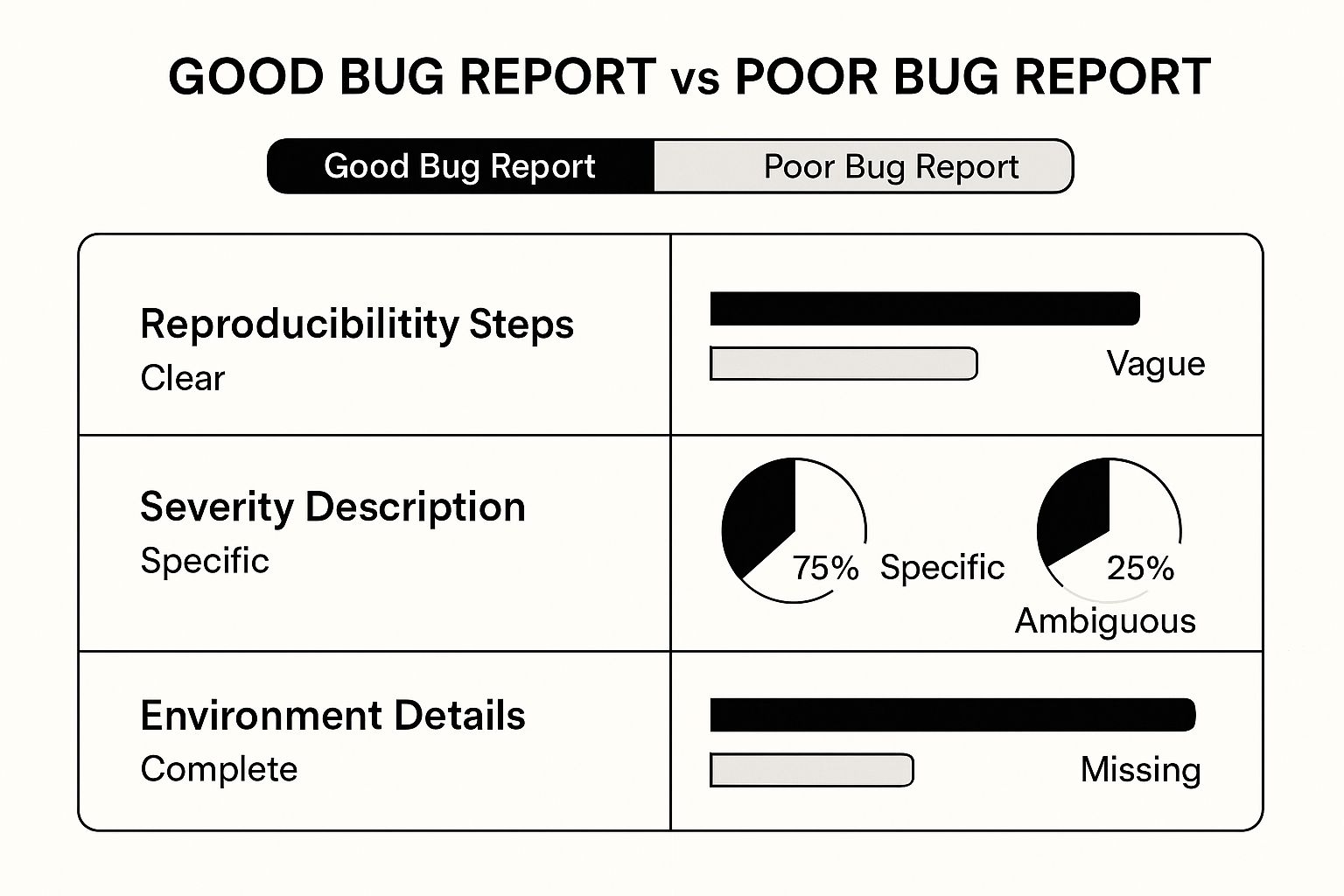
This infographic illustrates the differences between effective and ineffective bug reports. A good report clearly outlines reproducibility steps, severity, and the environment where the bug occurred. In contrast, a poor bug report lacks these crucial details. This clarity is essential for developers to understand and address issues efficiently. Actionable feedback is the cornerstone of good bug documentation. For helpful advice on giving better feedback, check out this article on providing more effective feedback.
The Rise of Dedicated Bug Tracking Systems
Early bug tracking methods often relied on shared spreadsheets, email threads, or even physical notebooks. As software projects became more complex, these methods proved inadequate. This growing complexity drove the need for dedicated bug tracking systems.
These systems provided a centralized platform, a significant improvement over disorganized methods. Early systems offered basic features like assigning issues and tracking their progress. As software development methodologies advanced, so did the requirements for bug tracking tools. For further insights into understanding customer feedback, see this guide on customer feedback analysis.
This evolution led to the integration of sophisticated features like version control, automated workflows, and advanced reporting. The importance of bug tracking systems in software development continues to grow, aiding in defect management and resolution. The market reflects this importance, with a projected high compound annual growth rate (CAGR) in the coming years. For more information about this market growth, you can explore the bug tracking system market.
Modern Bug Tracking: Collaboration and Visibility
Today's bug tracking systems prioritize team collaboration, especially for distributed teams. These systems act as a central hub, providing everyone with access to the latest information on reported issues. This transparency keeps all team members informed and aligned.
Furthermore, modern systems offer unparalleled visibility into software quality. Dashboards and reports allow teams to monitor crucial metrics, such as the number of open bugs, resolution times, and bug severity. This data-driven approach helps teams identify trends, potential problems, and areas for improvement.
The following table provides a comparison of some popular bug tracking systems. It outlines key features, pricing models, and ideal use cases, offering a helpful overview of the current landscape.
Comparison of Popular Bug Tracking Systems
A detailed comparison of leading bug tracking tools with their key features and best use cases
| Tool Name | Best For | Key Features | Pricing Model | Integration Capabilities |
|---|---|---|---|---|
| Jira | Agile teams | Issue tracking, project management, customizable workflows | Subscription-based | Extensive integrations with various development tools |
| Trello | Small teams, Kanban | Visual project management, simple interface, free plan available | Freemium | Integrates with various tools |
| Asana | Project management, team collaboration | Task management, project tracking, communication features | Freemium | Integrations with other productivity tools |
| GitHub Issues | Open-source projects, developers | Integrated with GitHub, version control integration | Free for public repositories, paid plans for private repositories | Integrates seamlessly with GitHub's features |
| Monday.com | Customizable project management | Flexible workflows, visual dashboards | Subscription-based | Integrates with various business tools |
This table highlights the diverse options available, each catering to different team sizes, project types, and budgets. Choosing the right system depends on specific project needs and priorities.
When Bug Reports Become Development Time Machines
There's a powerful connection between the quality of bug reports and the speed of development. Effective issue tracking has a direct impact on project timelines. Well-written bug reports can significantly accelerate development, saving precious time and resources. Let's explore how optimizing your bug reports can turn them into development time machines.
Triaging for Time Savings
Triaging, the process of evaluating and prioritizing bugs, is essential for efficient development. By tackling high-impact bugs first, developers address the most critical issues quickly. This strategic approach can reclaim hundreds of development hours. Think about it: fixing a critical bug that prevents users from completing a purchase is far more important than a minor visual glitch.
Balancing Bug Fixes and Feature Development
Finding the sweet spot between fixing bugs and implementing new features is crucial for project success. While addressing bugs is essential, focusing solely on them can stall new feature development. On the other hand, ignoring bugs leads to technical debt and a decline in software quality.
A good strategy involves dedicating a portion of each sprint to bug fixes while ensuring ample time for feature development. This balance will shift depending on the project phase and the severity of existing bugs.
Predicting User Impact
Not all bug reports are equal. Some issues may affect only a few users, while others could have widespread consequences. Learning to predict which issues truly impact users is key. By analyzing user data, feedback, and bug severity, teams can prioritize fixes that maximize the user experience. This allows developers to focus their efforts where they'll make the biggest difference. Similar to how businesses adopt absence management software to streamline operations, transitioning from spreadsheets to sophisticated bug tracking systems helps prioritize effectively.
Leveraging Bug History for Sprint Planning
High-performing teams utilize their bug history for sprint planning. Analyzing past bug reports reveals patterns and trends that inform future development decisions. For instance, frequent bugs related to a specific feature might indicate a need for code refactoring. This proactive approach allows teams to anticipate problems and allocate resources accordingly, leading to more accurate sprint planning and a better balance between addressing technical debt and delivering new innovations. Understanding the nature and utility of bug reports helps development teams optimize their workflows and deliver high-quality software.
Beyond Bugs: When Issue Reports Prevent Security Disasters

While all bugs can disrupt the smooth operation of software, some pose significant security risks. These vulnerabilities can have devastating consequences for any organization, potentially leading to data breaches, financial losses, and reputational damage. This section explores the crucial connection between quality assurance and cybersecurity, demonstrating how effective bug reports can prevent major security incidents.
Identifying Security Threats in Bug Reports
Not all bugs are the same. A security threat stands apart from a standard bug due to its potential impact. A typical bug might cause minor inconvenience, such as a broken link or a display error. However, a security flaw could allow unauthorized access to sensitive data, potentially compromising the entire system.
For example, a bug that displays incorrect text on a webpage is a standard bug. A bug that allows users to bypass login authentication, on the other hand, represents a serious security vulnerability. This seemingly small difference can have enormous implications for the security of the system and its data.
Secure Reporting Protocols for Sensitive Information
When reporting potential security vulnerabilities, it's paramount to protect sensitive information. Publicly disclosing a security flaw before it’s patched can expose your system to attacks. Therefore, always use secure communication channels for such reports.
These secure channels could include internal bug tracking systems like Jira with restricted access or encrypted email communication. The goal is to maintain confidentiality until a fix is implemented, preventing malicious actors from exploiting the vulnerability.
Prioritizing and Managing Security-Related Issues
Security-related bugs require immediate action. A responsible disclosure policy is essential. This policy outlines a clear procedure for reporting, verifying, and addressing security issues.
It also establishes a timeline for publicly disclosing the vulnerability after a patch is available. This approach balances the need to inform users with the need to give developers time to fix the issue. A well-defined framework for prioritizing security issues based on their potential impact, likelihood of exploitation, and the sensitivity of the data at risk is also essential.
Cybersecurity threats are a significant and growing concern, with global cybercrime costs projected to hit $10.5 trillion annually by 2025. This alarming statistic underscores the importance of robust bug tracking and vulnerability management. For more information about cybersecurity trends, you can explore resources like Cobalt.io. As software becomes increasingly complex, undetected bugs can easily become entry points for malicious actors.
Fostering a Security Mindset in Bug Reporting
Cultivating a security-conscious culture is crucial for effective security management. Everyone involved in the bug reporting process, from testers to developers, should understand the security implications of bugs. Regular training on identifying and reporting security vulnerabilities is vital.
This training should cover the difference between functional bugs and security flaws, as well as the proper reporting channels. By encouraging a security-first mindset, organizations can create a more secure development environment. Combining this proactive approach with a structured reporting process significantly strengthens the overall security posture of any software project. By implementing these strategies, teams can effectively address vulnerabilities before they escalate into major incidents, protecting both users and the organization.
Building a Bug Reporting Culture That Elevates Quality

Effective bug reporting isn't just about individual reports; it's about fostering a company-wide culture that prioritizes quality. This goes beyond simply utilizing tools and templates. It means creating an environment where everyone actively contributes to identifying and reporting issues.
This cultural shift transforms bug reports from simple documentation into valuable resources for product enhancement. The result? A significant boost to the overall quality of your software.
Empowering Non-Technical Team Members
Non-technical team members, such as those in marketing or sales, frequently encounter bugs. However, they may lack the technical expertise to create comprehensive bug reports. This presents a valuable opportunity for improvement.
By offering training on fundamental bug reporting principles, you empower these team members to meaningfully contribute to quality assurance. This training doesn't need to be highly technical.
Instead, focus on practical elements. Teach them how to clearly describe the issue, detail the steps to reproduce it, and outline the expected outcome. Empowering these individuals broadens the scope of bug detection and introduces diverse perspectives to the process.
Recognizing and Rewarding Thorough Bug Identification
A robust bug reporting culture acknowledges and rewards contributions. Implement a system to recognize and appreciate detailed bug reports, particularly those that pinpoint critical issues or uncover underlying patterns.
This could involve simple gestures like public acknowledgment or small rewards. You could also showcase exceptional reports during team meetings. Such recognition reinforces the value of bug reporting and encourages active participation in quality assurance.
Continuous Improvement Through Feedback Loops
Feedback loops are essential for refining bug reporting practices. Regularly solicit feedback from developers on the quality of bug reports they receive.
This can be done through short surveys, dedicated feedback sessions, or informal discussions. This feedback helps pinpoint areas for improvement in the reporting process. It ensures reports consistently deliver the information needed for effective debugging.
Furthermore, keeping reporters informed about the status and resolution of their reports completes the feedback loop. It fosters a sense of collaboration and shared ownership of quality. For more information on leveraging user feedback, check out this article: How user feedback can make or break your product.
Fostering Collaboration Between QA and Development
The dynamic between QA and development can sometimes become strained. Disagreements may arise regarding bug severity or the prioritization of fixes. Nurturing a collaborative partnership, centered on shared objectives, is crucial.
Open communication is key. Encourage open and honest conversations about bug severity and user impact. Creating a safe space for these dialogues builds trust and understanding. This transforms the bug reporting process into a collaborative effort towards achieving product excellence. It also facilitates better management of the emotional aspects of issue reporting, such as frustration or defensiveness, which can improve the overall effectiveness of the process.
By incorporating these strategies, organizations can cultivate a sustainable bug reporting culture. This culture becomes a driving force for continuous improvement in software quality.
Ready to improve your user feedback process and build a better product? Try Saylo today!